Small update: After hours and hours of error and trial (and implementing a few interfaces by using Copy&Paste wisely), I’ve finally managed to get Visual Studio to load my debug engine.
This looks gorgeous, doesn’t it?
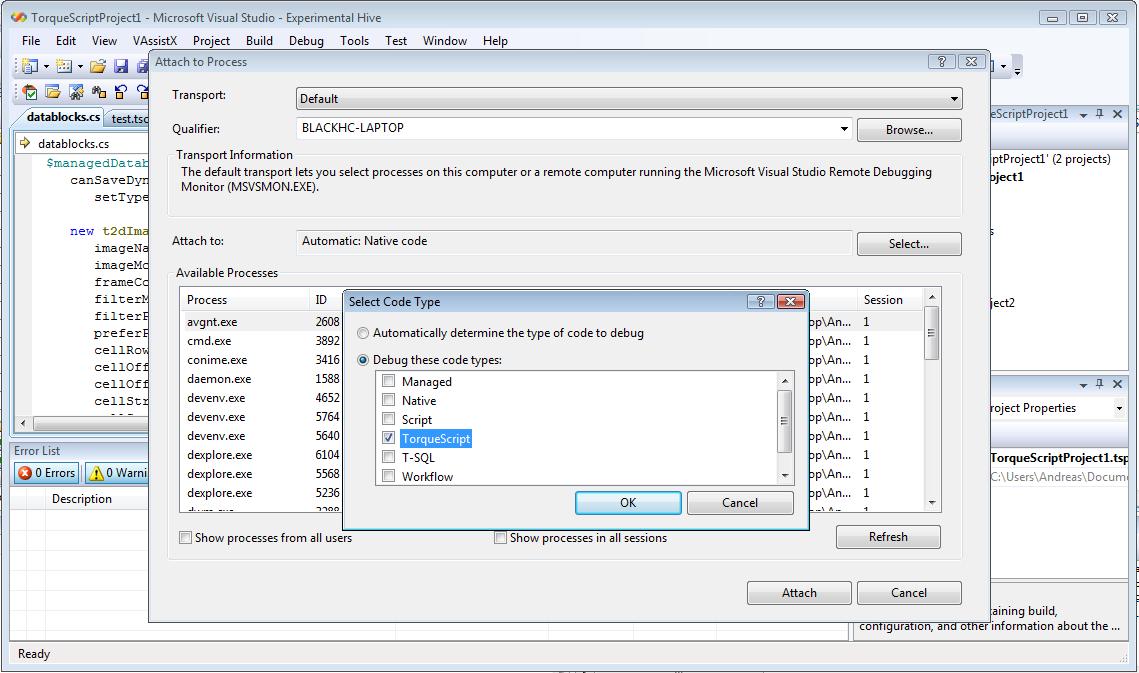
A few notes for those interested in writing Debug Engines:
See my previous post for the ProvideDebugEngine helper attribute
There exists a really nice managed debug engine example, that isn’t part of the SDK. You can find it here.
You are required to set a PortSupplier, even if the documentation says otherwise (this was a major source of frustration in the last hour).
Since _ProvideDebugEngine_requires a Type for PortSupplier, I’ve been using this stub class:
    /// <summary>
    /// The class is just a stub for use with ProvideDebugEngine.
    /// It seems it's mandatory to provide a PortSupplier GUID with a debug engine.
    /// </summary>
    [Guid("708C1ECA-FF48-11D2-904F-00C04FA302A1")]
    internal sealed class DefaultPortSupplier
    {
    }
I’ve also added another attribute (ProvideClass) for convenience to register a class directly (it’s the same as using ProvideObject on the current class type).
Since the code is quite short, I’m going to provide it here directly:
using System;
using System.Collections.Generic;
using System.Linq;
using System.Text;

namespace Microsoft.VisualStudio.Shell
{
    /// <summary>
    /// This is just a wrapper for ProvideObject to provide the class the attribute is used on
    /// </summary>
    [AttributeUsage(AttributeTargets.Class, AllowMultiple = false, Inherited = true)]
    class ProvideClass : RegistrationAttribute
    {
        public override void Register(RegistrationAttribute.RegistrationContext context)
        {
            ProvideObjectAttribute objectProvider = new ProvideObjectAttribute(context.ComponentType);
            objectProvider.Register(context);
        }

        public override void Unregister(RegistrationAttribute.RegistrationContext context)
        {
            ProvideObjectAttribute objectProvider = new ProvideObjectAttribute(context.ComponentType);
            objectProvider.Unregister(context);
        }
    }
}
Cheers,
Andreas